

From a field submission to a result you can report
When review decisions are kept in separate files or messages, it can be difficult to tell which figure was approved.
Keep the submitted figure, its review decision and its source together for reporting.
How the chain runs
Follow your team's work from submission to reviewed results.
-
Who acts
An authorised project MEAL lead
Opens a collection link for a project indicator and period.
What this protects
Only authorised project staff can manage collection links.
- What it leaves behind
- A collection link your team can share and revoke.
- Next owner
- The field team or partner doing the counting.
-
Who acts
A field enumerator or partner
Submits the value for that indicator and period through the link.
What this protects
Each submitted figure keeps its submitter, note and timestamp for review.
- What it leaves behind
- A submission with its submitter, note and timestamp.
- Next owner
- The reviewer for that project.
-
Who acts
An authorised project reviewer
Reads the submitted value beside the current recorded actual, then approves or rejects it — with a note.
What this protects
Only staff authorised for this project can approve.
- What it leaves behind
- A decision recorded on the submission with its reviewer, timestamp and note.
- Next owner
- The results record itself.
-
Who acts
The system, on approval only
Writes the approved value into the indicator actual for that project, indicator and period.
What this protects
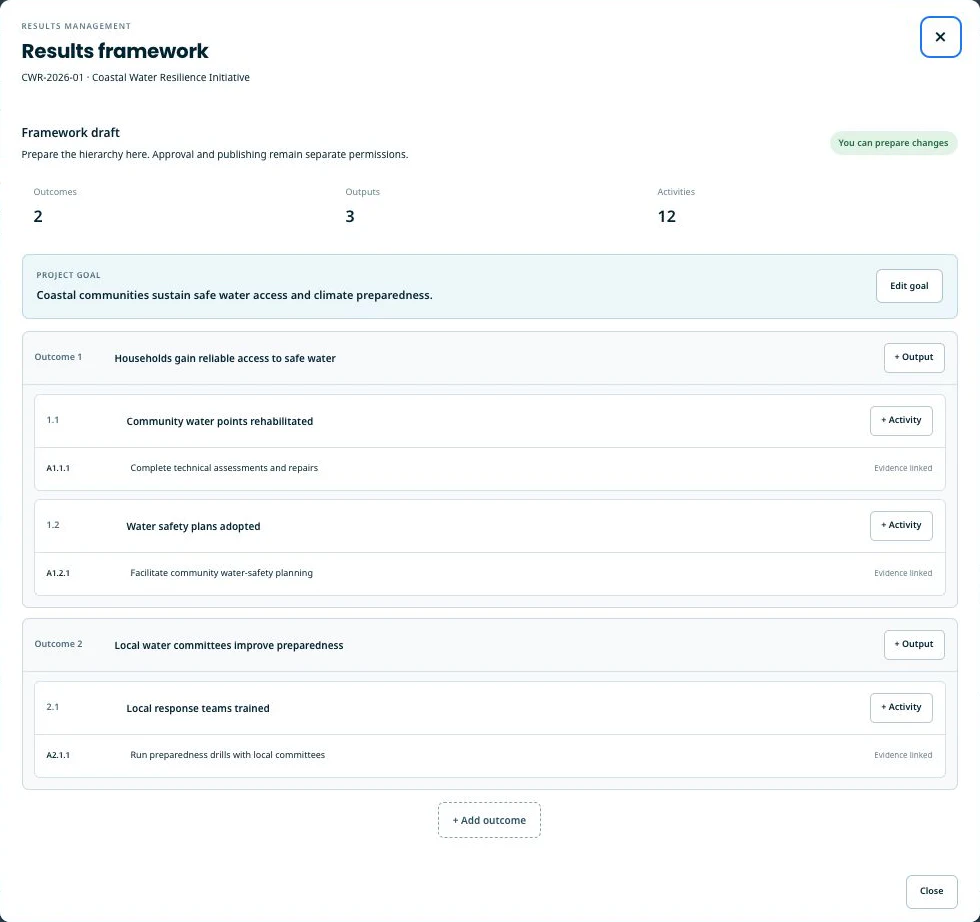
Reports use approved figures with a clear record of their source.
- What it leaves behind
- An indicator actual carrying the source it came from.
- Next owner
- Reporting and rollups.
-
Who acts
Programme and MEAL reporting
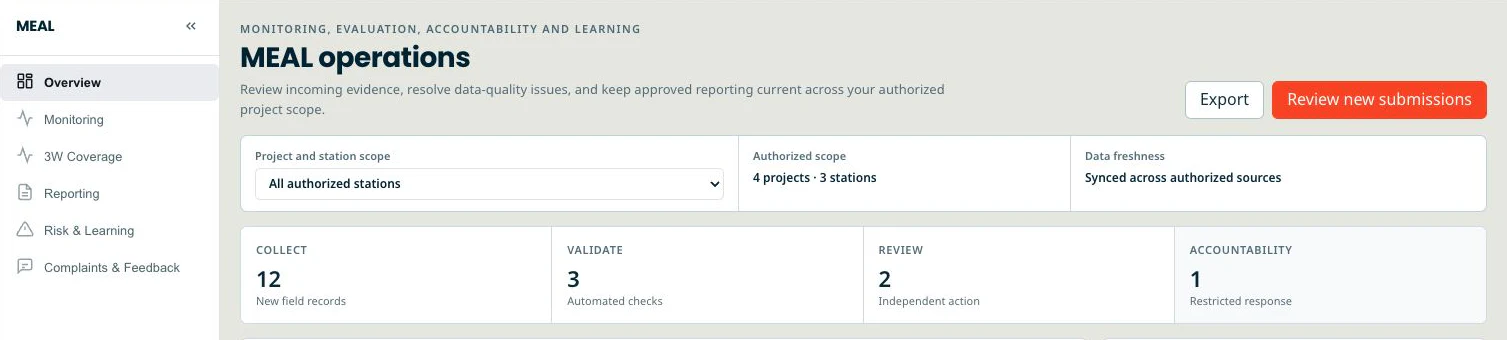
Reads the rollup across the project’s indicators.
What this protects
Reporting includes only approved indicators and accepted results.
- What it leaves behind
- A rollup built only from approved indicators and accepted actuals.
- Next owner
- End of the chain
Controls in this workflow
Review these controls together with the scope and limitations below.
Approval access stays with your project team
Only authorised project staff can manage collection links. Only staff authorised for this project can approve.
Approved figures for reporting
Reports use approved figures with a clear record of their source.
Trace each result to its source
Each submitted figure keeps its submitter, note and timestamp for review.
A clear record of review decisions
Review decisions record who acted, when and any notes.
What you end up holding
The records this chain produces — the ones an auditor or a donor will ask to see.
- A submission register: every value that was ever offered, with its submitter, its decision, the reviewer and the note.
- Indicator actuals updated by approved submissions in this workflow, with the source channel recorded.
- Reporting includes only approved indicators and accepted results.
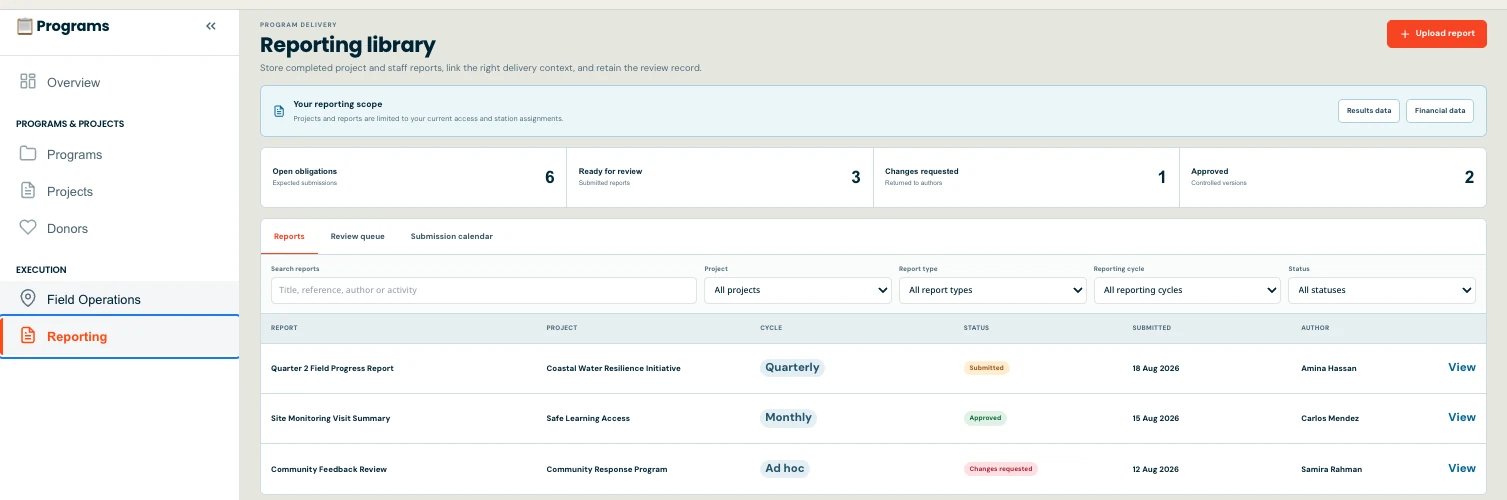
- Field reports as a separate narrative record, with their own review chain and their own no-self-approval rule.
Scope and availability
Review the supported uses and reporting boundaries with your team.
Not available today
- Returns a collection submission to its submitter for revision.
- Collection submissions support approval or rejection. Field reports have a separate review process, and authors cannot approve their own reports.
- Field reports do not write indicator actuals. They are the narrative record. In this workflow, approved indicator submissions update the corresponding actuals.
- Keep a dated copy of reported results for future review.
- Totals are not unique reach. A sum of submitted values or distributed items is a count of transactions, not a count of distinct people, and nothing in this chain deduplicates beneficiaries.
- A collection link is a web form with a token, not a system-to-system connector. There is no live integration with a third-party data-collection platform in this chain.
About the images on this page
The three views on this page are captures of the current application running on synthetic seed data. There is no capture of the review decision itself yet; that step is described in text rather than mocked up.
Capture
Capture
Capture
Request a walk-through of this workflow using sample data. Confirm the required plan and setup with us.
The other workflow
From a requisition to a posted, balanced journal